

Feed Budget Planner
Learn how to use feed budgets to better plan ahead
A feed budget is a month-by-month plan that shows whether your farm has enough grass and forage to meet the needs of your animals throughout the year. It balances two things:
- Animal demand — how much your livestock need to eat, broken down by group (e.g. cows, growing cattle, ewes)
- Feed supply — what’s available, both from grazing and from housed feeding (hay, silage, concentrates)
A good feed budget helps you plan ahead, spot problems early, and make confident decisions about stocking rates, supplements, and grass management before you run into trouble.
Feed budgets in ruumi
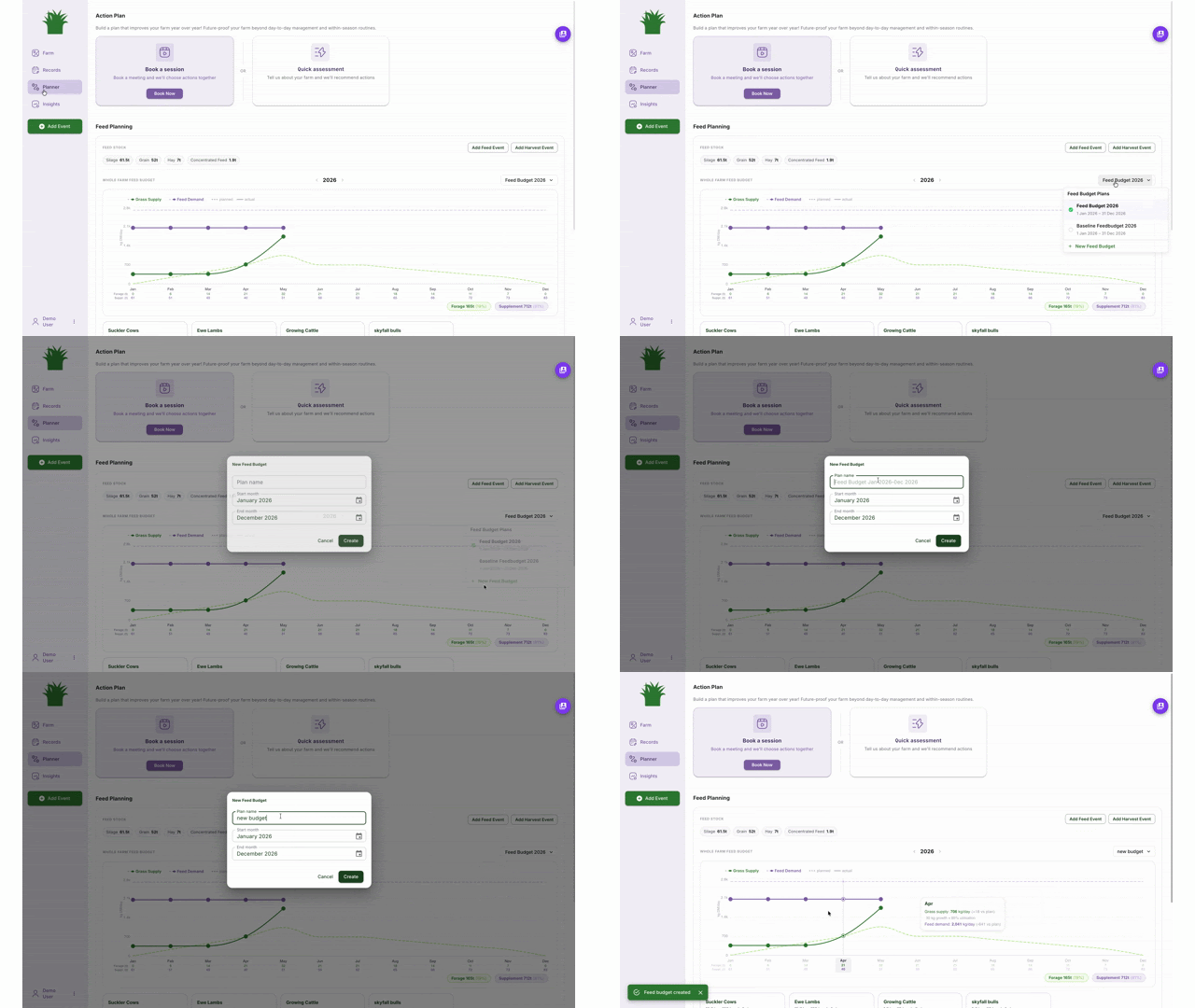
Go to Planner and create your first feed budget. You can name feed budgets and choose when a feed budget should start or end. We recommend a budget for every year - or every breeding cycle.
One budget can be set as active by clicking the o in the dropdown on the left of the name. This is the one that drives your stocking rate calculations and grazing days ahead shown on your dashboard.
You can create as many feed budgets as you like — which is great for scenario planning. For example, you might have one plan for a normal year and another for a dry summer.
Stock classes
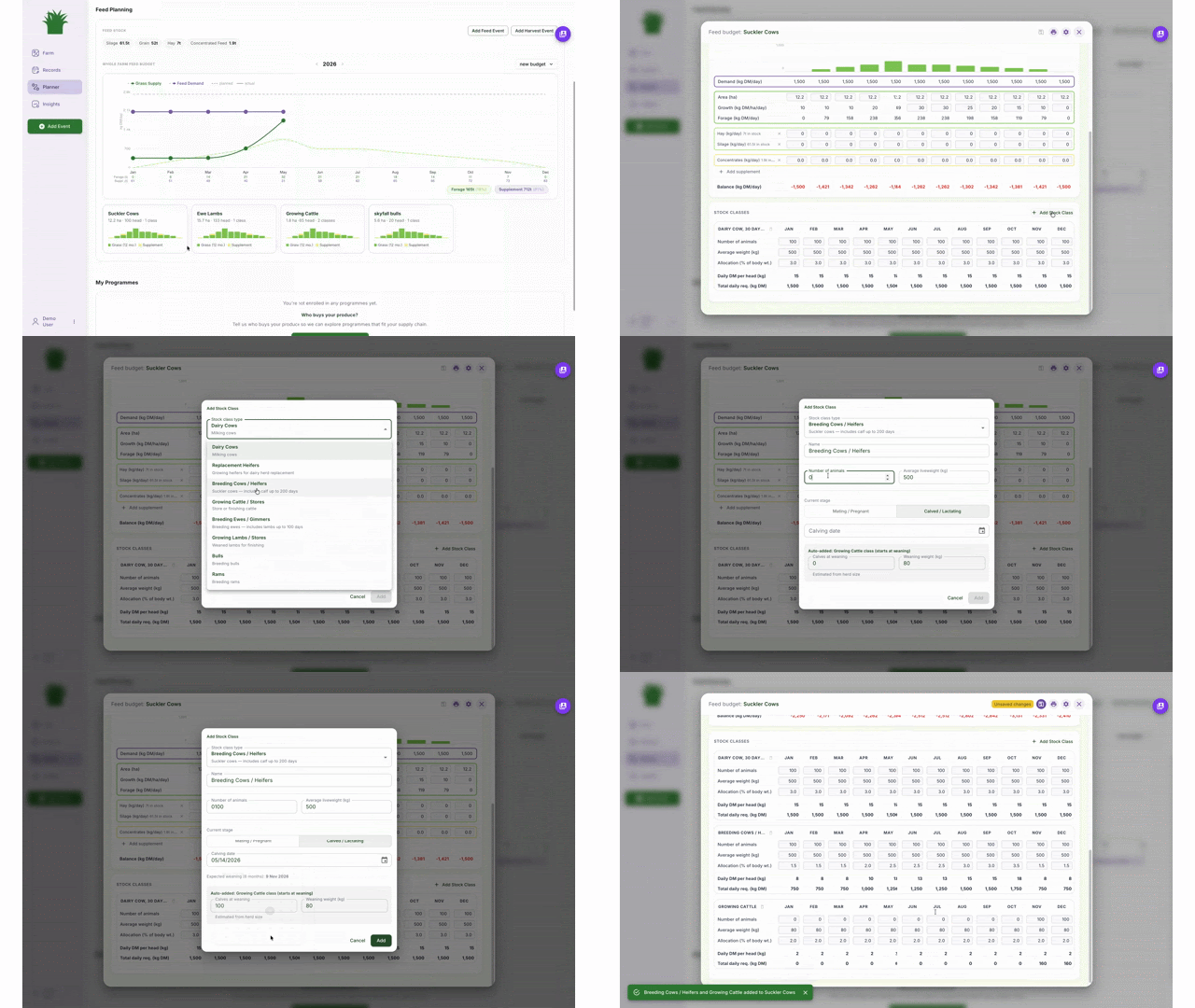
When you set up a feed budget, you assign animals to stock classes (e.g. suckler cows, weaned calves, finishing cattle, ewes). ruumi includes presets for common stock types with typical daily intake figures built in, so you don’t have to start from scratch.
You can adjust these to match your own animals. For stock that are nursing — like cows with calves at foot, or ewes with lambs — the mother’s daily demand is increased to account for milk production rather than tracking the youngstock separately.
If you enter a mating date, ruumi can automatically project feed demand changes across the year as animals move through pregnancy and weaning. After saving the boundary, ruumi will prompt you to fill in some details that help it generate accurate grazing plans.
Housed vs grazing periods
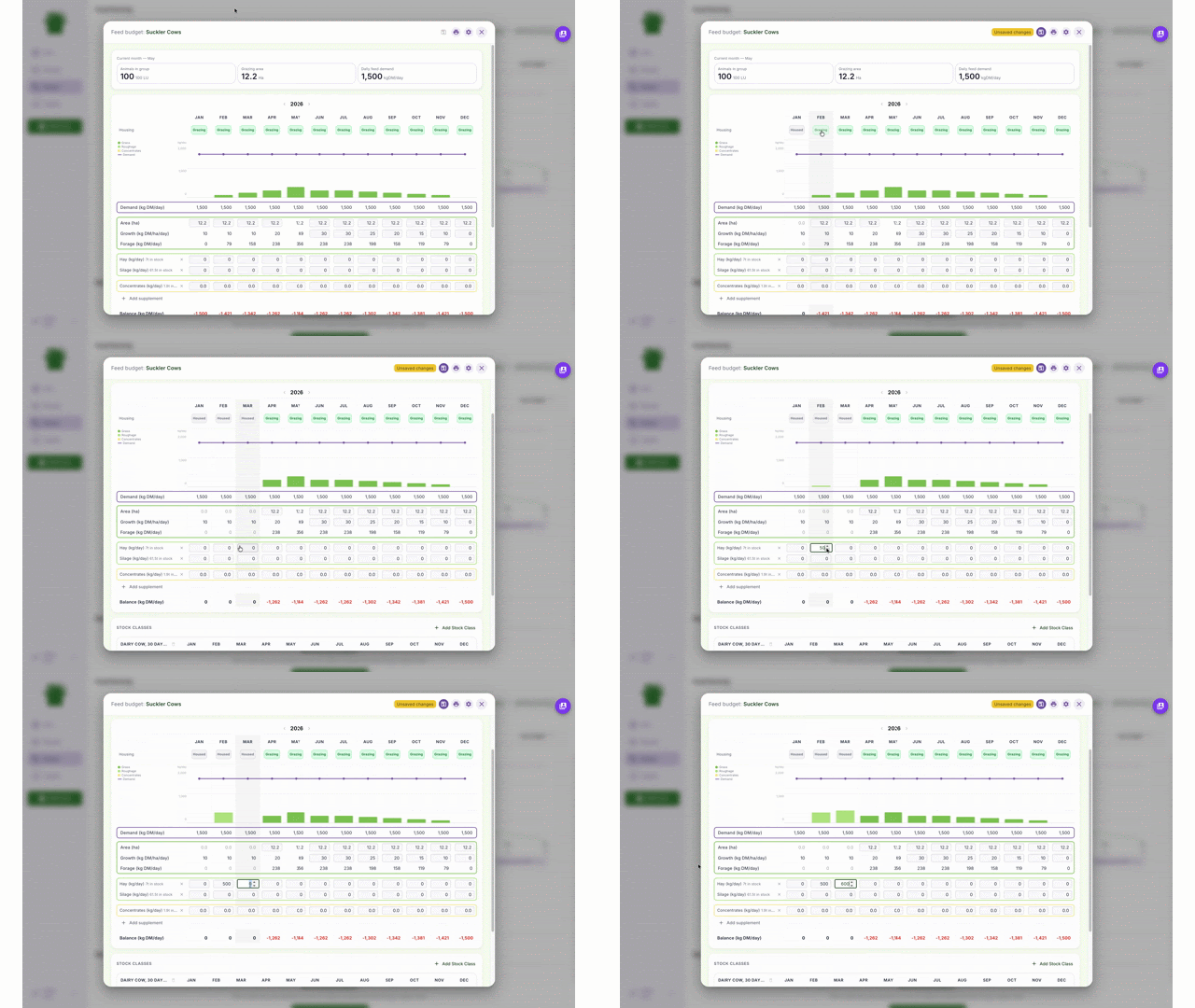
For each month, you can tell ruumi whether your animals are grazing or housed. This matters because:
- Grazing months — feed comes partly or fully from grass, and ruumi calculates the area of land needed to meet demand
- Housed months — animals still need feeding, but land area isn’t required; demand is met by hay, silage, or other supplements
You choose the supplement types from a dropdown (hay, silage, concentrates, forage crops), and ruumi tracks planned vs actual usage.
Understanding your budget: surpluses and deficits
Once your plan is set up, ruumi shows you a graph of animal demand versus grass growth across the year. Where these lines cross, you either have a surplus or a deficit.
If you have a deficit (not enough feed)
You have a few options:
- Reduce Average Farm Cover (AFC) — graze the farm harder to carry more animals through the tight period
- Feed hay or silage in the field — supplement grazing animals to bridge the gap
- Reduce animal numbers — sell or move stock before the pressure hits
- increase grazing area
If you have a surplus (more feed than you need)
- Increase Average Farm Cover (AFC) — let covers build up as a buffer
- Cut silage or hay — take surplus grass off as conserved forage to use later (i.e. reduce grazing area)
Scenario planning
Because you can create multiple budgets, it’s easy to run “what if” comparisons — for example:
- What if we have a dry summer?
- What if we keep the calves on rather than selling them?
- What if we increase stocking rate by 10%?
Duplicate an existing plan, make your changes, and compare the outcomes side by side. Switch your active plan at any time.